Changelogs
Stay up to date with the latest changes and enhancements.
Stay up to date with the latest changes and enhancements.


04. Dec 2025
Share
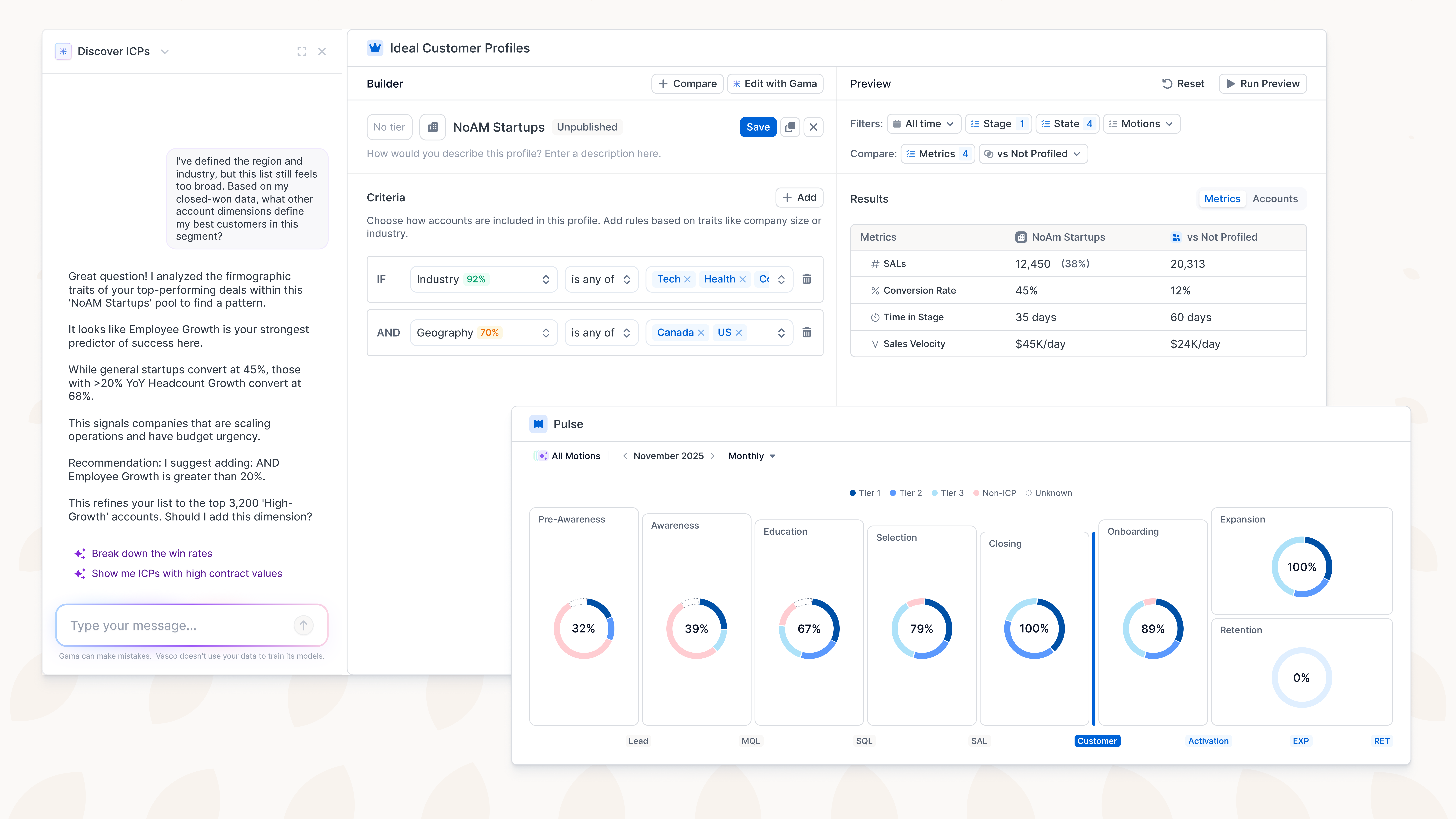
Define, compare, and track your ICP directly in your revenue engine, with real data, in real time.
Build explainable customer profiles with rule-based criteria, instant previews of segment size and performance, and AI assistance from Gama.
Compare multiple profiles side by side to understand differences in volume, conversion, and speed through the funnel.
Monitor your ICP mix across every stage and function in Pulse, with drilldowns to the account level for clarity and action.
How to Use the Ideal Customer Profiles in Vasco
The ICP (Ideal Customer Profile) feature in Vasco helps your team create and analyze customer segments that best fit your business goals. This guide will show you how to access, build, preview, tier, and analyze these profiles and how they integrate with Pulse for performance monitoring across the entire bowtie.

Connect Pipedrive to Vasco in minutes and sync your CRM data automatically.
Seamlessly integrate your Pipedrive CRM and bring deals, organizations, people, and activities directly into Vasco.
Start with a complete, real-time view of your pipeline — no exports, no manual uploads.
Keep your customer journey metrics up to date with automatic, continuous syncing.
Map every stage, motion, function, and lead source in one unified view, as intuitively as building a journey in Miro.
Build your entire customer journey in a single visual interface, with stages, motions, functions, and lead sources all connected in one place.
Customize metrics, edit components instantly, and use the Library panel to add or update building blocks with total clarity.
Create and manage journey versions effortlessly, so you can evolve processes over time without rebuilding from scratch.
What is a Customer Journey?
Map your entire business within your customer journey.
Salesforce Custom Objects: Sync and map your Salesforce custom objects just like standard CRM objects, so Vasco fits your existing architecture without requiring any refactoring.
Salesforce Calculated Fields: Use your Salesforce calculated fields in lifecycle mappings and dimensions, ensuring accurate logic and up-to-date GTM signals without any manual work.
Weekly Digest: Choose a weekly delivery instead of daily, so you get the same high-value insights without the overload.